Download the app
For HR teams

Live in a day. Then it runs itself.

No payroll feed, no IT project and no leavers list to keep. A branded welcome page, a launch kit, and a simple portal that shows who has joined and how often they use it.

Add your email domain and only your staff can join. When someone leaves, their access ends by itself.
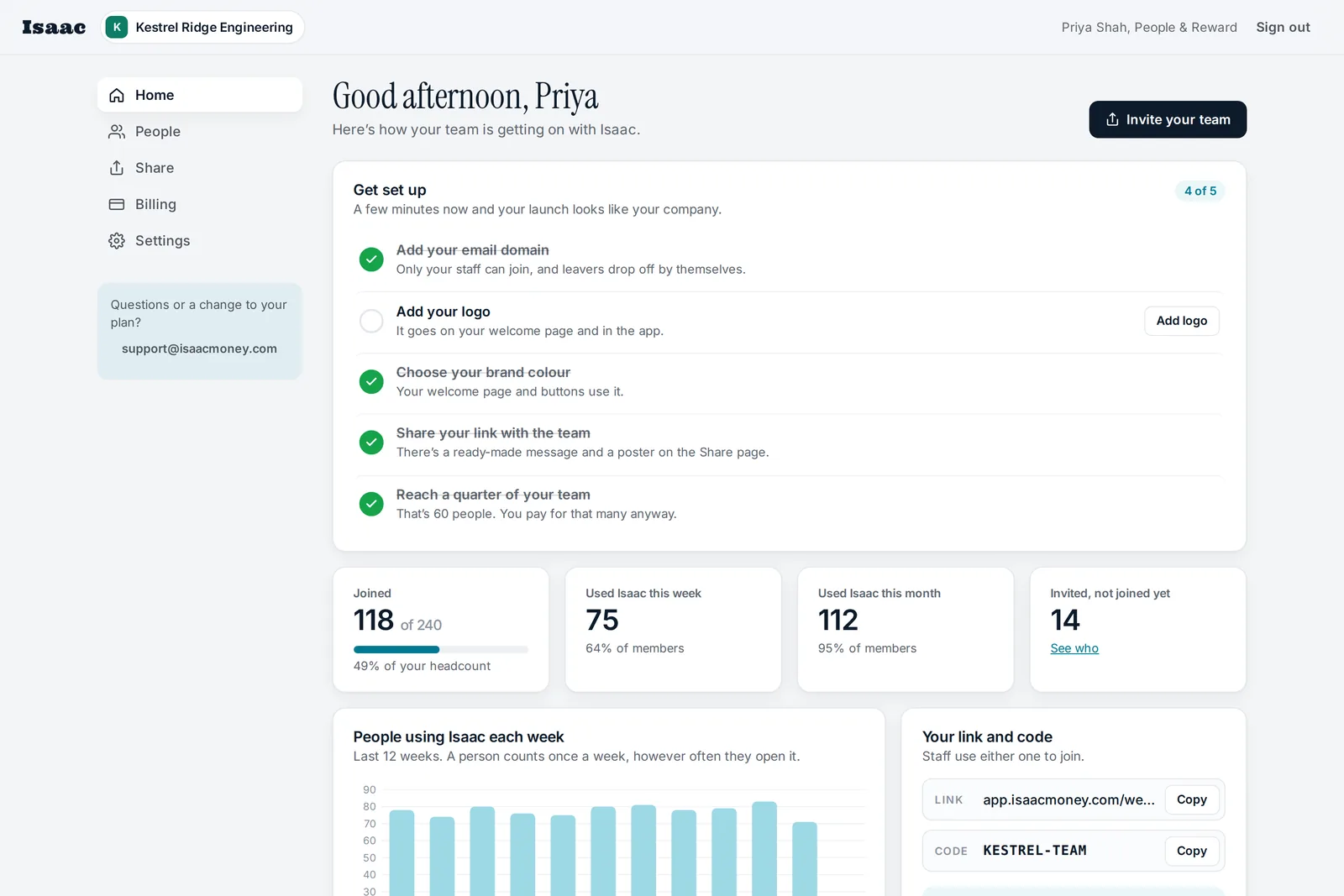
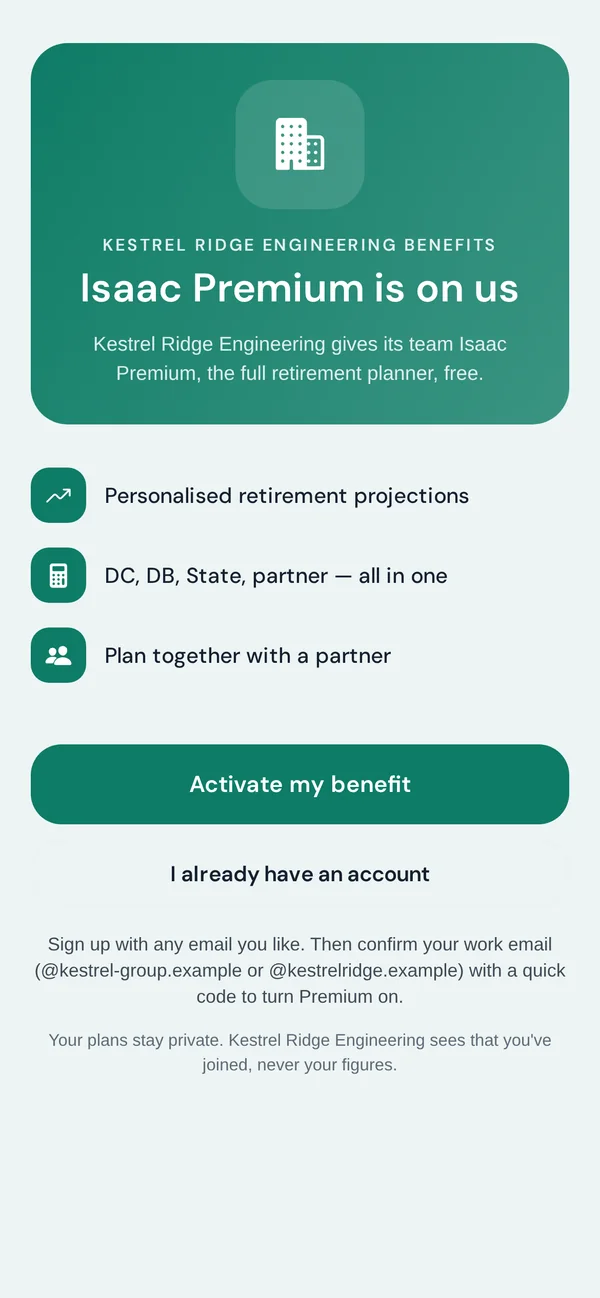
The Isaac employer portal home for an example company: setup checklist, how many staff have joined and used Isaac, and weekly activity
The same company’s branded welcome screen in the Isaac app
Trusted by
Kemlo & Kemlo The Comanche Barbecue, Grill & Smokehouse Lockon Waypoint Flight Deck Wingman
Member offer partners
Forces Pension SocietyForces Pension SocietyIsaac is the Society’s member offer for retirement planning. Civil Service Pensioners’ AllianceCivil Service Pensioners’ AllianceOffered to CSPA members across the civil service.

Three steps to launch

No integration, no payroll feed, no procurement project. A conversation, an order form and a link.

01

A 15-minute call

We learn about your team and your pension scheme, and show you Isaac with a plan like a typical employee’s.

02

We set you up

A simple order form, billed annually. We create your portal, your code and your welcome page, and you add your logo and colour.

03

Add your domain, share the link

Add your email domain in the portal, then send the ready-made message. Staff join, confirm their work email with a code, and see their own projection in about two minutes.

Leavers drop off by themselves

Add the email domains your staff use. Each person confirms a work address with a six-digit code before their Premium starts, then again every few months. Someone who has left can’t read their work email, so their access ends without you lifting a finger.

  • Only staff can join. Your link and code are useless to anyone without an address at your domain, even if they get passed around.
  • More than one domain is fine. Add every domain your people have addresses at, after a merger or across brands. Subdomains are included.
  • Nothing to keep up to date. Choose how often people confirm: every 3, 6 or 12 months. They get a reminder and two weeks to do it. You never need to send us a leavers list.
  • Leaving is painless for them too. They keep every plan. They can move their sign-in to a personal email, carry on free, or keep Premium with 25% off.
  • You stay in control. You can still remove someone in the portal at any time, and restore them if you need to.

Isaac only uses a work email to check where someone works. Employees sign in with their own email, and you never see their figures.
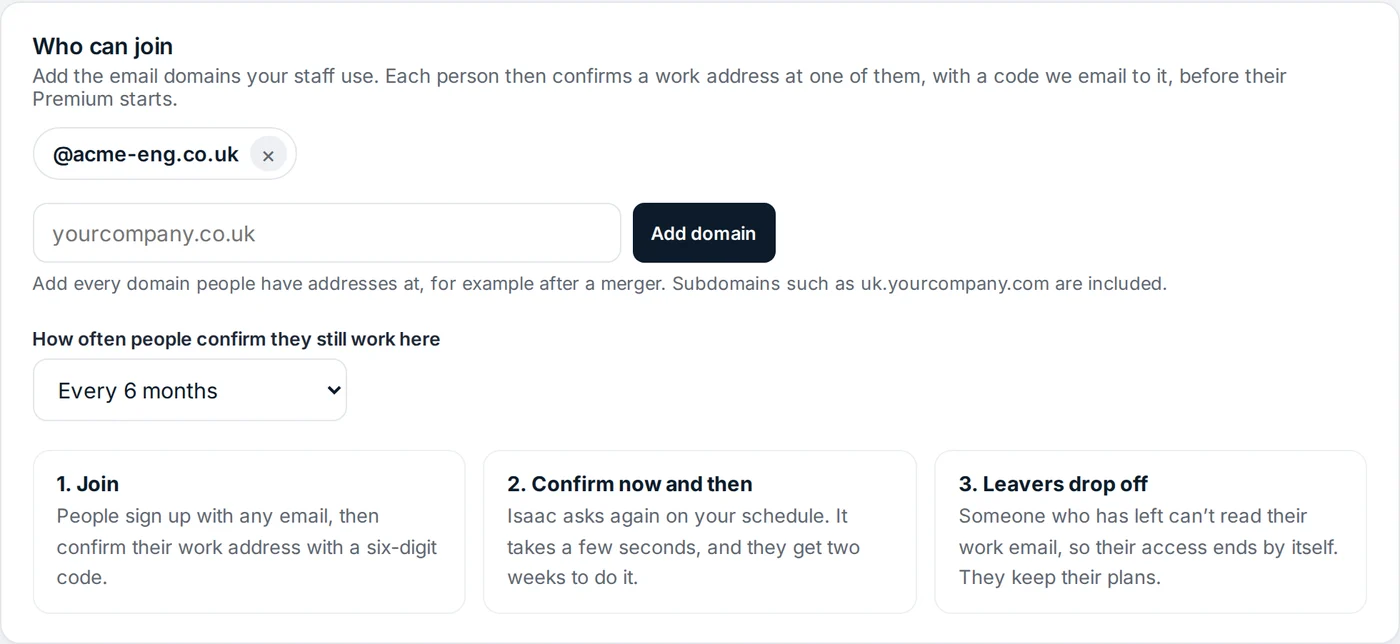
The Who can join settings in the Isaac employer portal, with an email domain added and the choice of how often people confirm they still work there
Settings › Who can join, in the portal

Everything in one simple place

  • A welcome page in your colours. Your logo and brand colour on the page staff open from your link.
  • A launch kit, ready to go. Your link, code and QR code, ready-to-send messages for email, Slack and Teams, and a printable poster for noticeboards. Or invite people by email from the portal.
  • Adoption you can see. Who has joined, who has confirmed their work email, how many used Isaac each week, and who hasn’t opened it in a while, so you know who to nudge.
  • Billing with no surprises. Headcount, members and cost per head, in the portal.
  • The full app for everyone. Every member gets Isaac Premium, including the stress test, What if and PDF reports.

You never see anyone’s pensions, salary, savings or plans. Exactly what you see
An Isaac welcome screen branded for an example company, in its colour, with an Activate my benefit button
Example: a welcome page for a fictional company
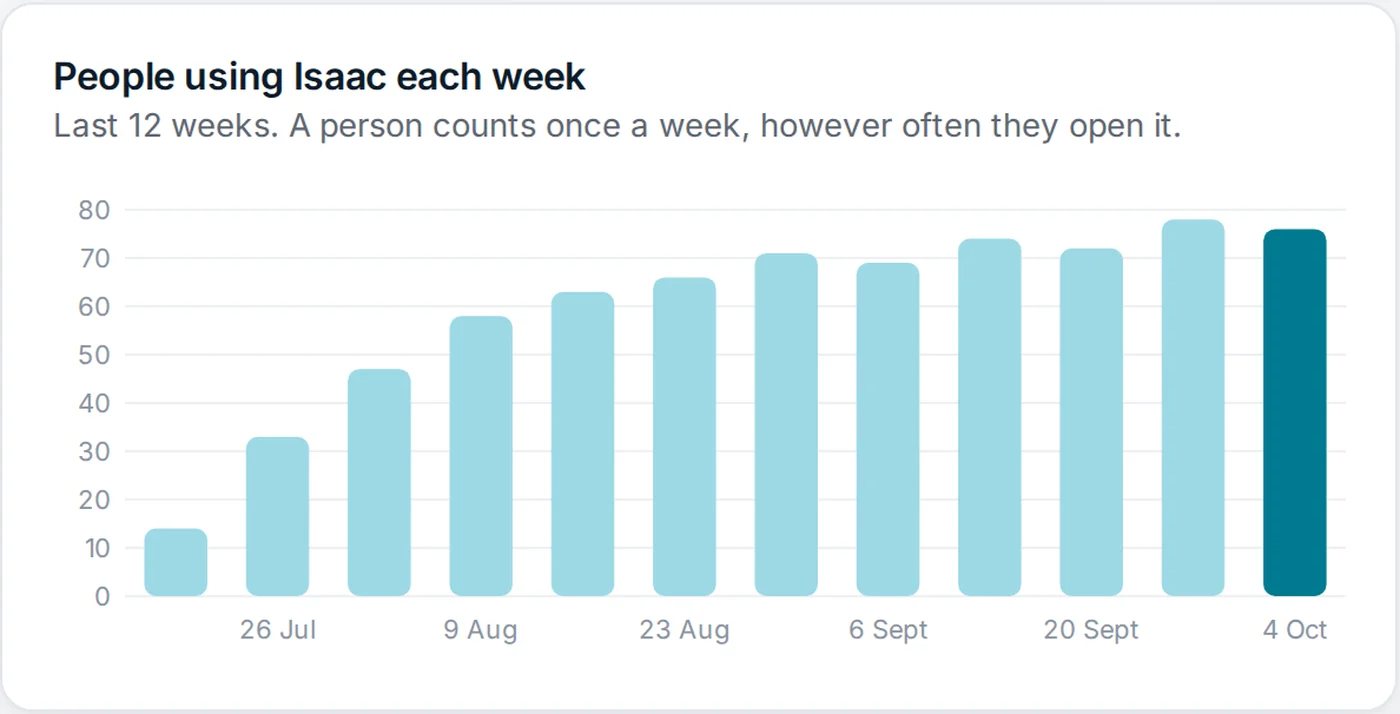
The employer portal's chart of people using Isaac each week, rising over twelve weeks after launch
The portal’s weekly activity chart, shown with example figures for a fictional company.

Clear about what you see, and what you don’t

What you see

The name and email address of each person who joins, when they joined, when they last used Isaac and how many plans they’ve made. Weekly activity for the team.

What you never see

Anyone’s pensions, salary, savings, spending, partner or any figure in their plan, individually or in total.

What you send us

Nothing, if you share your link or code. If you invite people from the portal, just the email addresses you type in.

Running it, answered

How long does it take to launch?+
Usually a day. After a 15-minute call and an order form, we create your portal. You add your logo, colour and email domain, then share the link with the ready-made message or poster. Most people are planning within two minutes of opening it.
What happens when someone leaves?+
If you’ve added your email domain, nothing for you to do: they can’t confirm their work email at the next check, and their Premium ends after a two-week grace period. You can also remove them in the portal straight away. Either way their plans stay theirs, and we offer them 25% off if they want to keep Premium.
Can we use more than one email domain?+
Yes. Add as many as your people use, for example after an acquisition or across group companies. Subdomains such as uk.yourcompany.com are covered by yourcompany.com. Personal email services like Gmail can’t be added.
What if someone doesn’t have a work email?+
Talk to us. For teams where not everyone has a company address, such as shift or site workers, we can set your plan up to admit people by code alone, and you remove leavers in the portal.
Do employees have to sign in with their work email?+
No, and we recommend they don’t. They sign up with any email they like and confirm their work address separately. Anyone who signed up with a work address is prompted to move their sign-in to a personal one, so they don’t lose their account if they change jobs.
Will IT or security need to be involved?+
Usually not. Isaac is an app staff download from the App Store or Google Play, or use in a browser. There’s nothing to install on your systems, no single sign-on to configure and no integration to build. The verification emails come from hello@isaacmoney.com, which your mail filters may want to allow.
Do we need a data processing agreement?+
If you only share your link or code, you don’t send us any employee data: each person signs up to Isaac themselves. If you invite people by email from the portal, you’re sharing those addresses with us, so ask and we’ll send our standard agreement.
How are we billed?+
Annually, by invoice, for the people who join, with a minimum of a quarter of your headcount. The price per person falls as more of your team joins. The portal shows your members, your price ladder and your invoices.

Give your team clarity
on retirement.

A 15-minute call, no commitment and no hard sell. Just a look at what your team would get.

support@isaacmoney.com · isaacmoney.com/employers

Important information

Isaac is an educational planning tool - not financial, investment, tax, or legal advice. We’re not authorised or regulated by the FCA. Projections are based on what the employee enters and aren’t guarantees (pensions and investments can go down as well as up). For proper decisions, employees should always talk to a qualified, FCA-regulated adviser. Isaac does the maths. Advisers do the advice.

Book a demo

15 minutes. We'll walk you through how Isaac works for your team.